Introduction to CoinTools
CoinTools is a powerful, lightweight Chrome Extension for Cryptocurrency fans! It can be installed via Chrome Webstore:
https://chrome.google.com/webstore/detail/coin-tools/fmglcggbdcbkpkfapngjobfeakehpcgj
For Opera browsers, the workaround is to first install Chrome Extension Gadget.
And similarly for Firefox, you can install Chrome Store Foxified before you install CoinTools.
New Features of CoinTools v0.0.15.1
This commit adds the following features:
- Adding Cryptocompare API as a backup source so that it is more robust and supports less popular fiats such as NGN.
- Add Context Shortcuts for a few useful Cryptocurrency websites.
Screenshots of CoinTools v0.0.15.1
Single Fiat Command to Local Currency
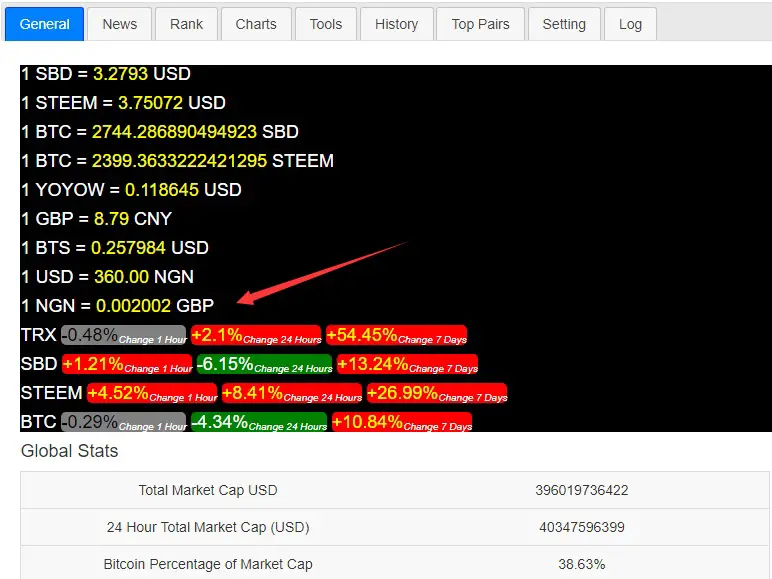
cointools-general
History Graph from Cryptocompare
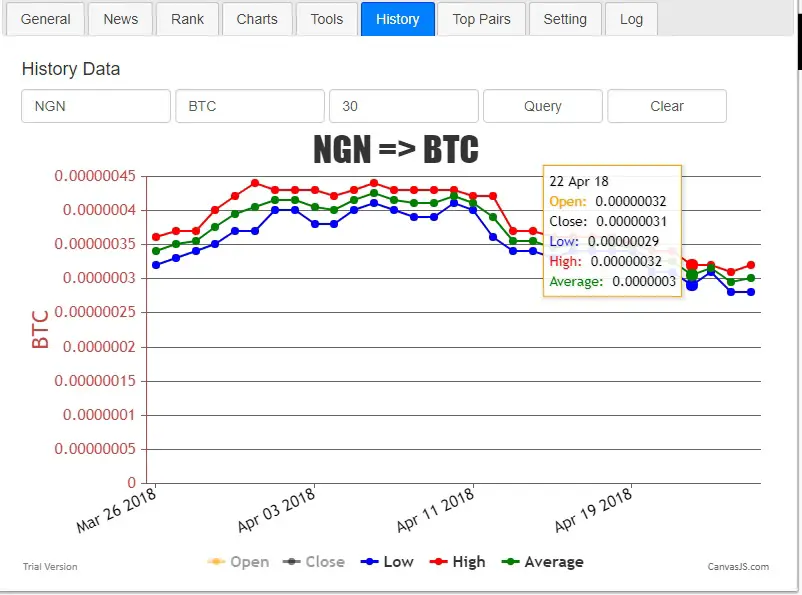
cointools-history-conversion-rate
Context Shortcuts
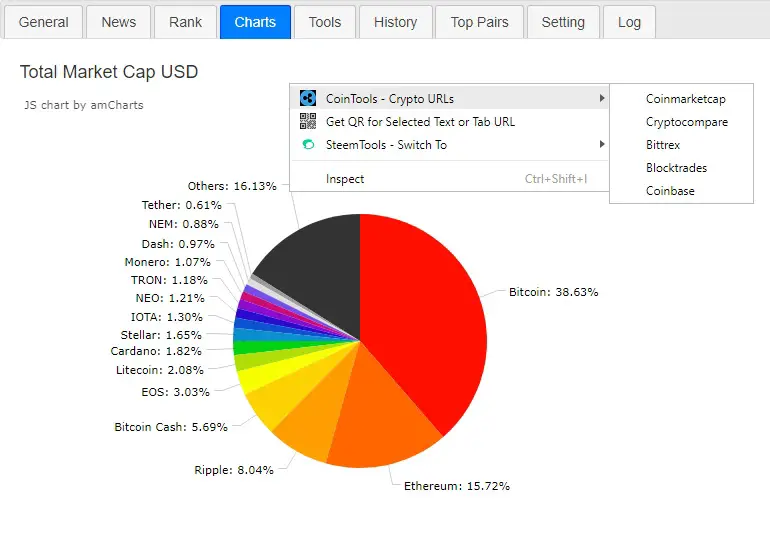
cointools-charts-context
Robust Cryptocompare
In this version, we have added the cryptocompare source, which is returned as a Javascript Promise.
// getting conversion from cryptocompare
const getPriceCC = (a, b) => {
    a = a.toUpperCase();
    b = b.toUpperCase();
    let api = "https://min-api.cryptocompare.com/data/price?fsym=" + a + "&tsyms=" + b;
    return new Promise((resolve, reject) => {
        fetch(api, {mode: 'cors'})
        .then(validateResponse)
        .then(readResponseAsJSON)
        .then(function(result) {
            if (result[b]) {
                resolve(result[b]);
            } else {
                reject("invalid pairs: " + a + ", " + b);
            }
        }).catch(function(error) {
            logit(get_text("request_failed", "Request failed") + ': ' + api + ": " + error);
            reject(error);
        });
    });
}
For example, when coinmarketcap fails, the tool will go to cryptocompare:
// ajax calling API to return the price of USD for coin
const getPriceOfUSD = (coin) => {
    return new Promise((resolve, reject) => {
        let api = "https://api.coinmarketcap.com/v1/ticker/" + coin + '/';
        fetch(api, {mode: 'cors'})
        .then(validateResponse)
        .then(readResponseAsJSON)
        .then(function(result) {
            if (result[0].price_usd) {
                resolve(result[0].price_usd);
            } else {
                getPriceCC(coin, 'USD').then((res) => {
                    resolve(res);
                }).catch(function(error) {
                    reject(error);
                });
            }
        }).catch(function(error) {
            getPriceCC(coin, 'USD').then((res) => {
                resolve(res);
            }).catch(function(error) {
                logit(get_text("request_failed", "Request failed") + ': ' + api + ": " + error);
                reject(error);
            });
        });
    });
}
Technology
Javascript that runs in the Chrome Browser (ES6)
Contribution
Fully Opensource: https://github.com/DoctorLai/CoinTools
Submit a PR or a issue if you found a bug.
Support me and my work as a witness by
Some of my contributions: SteemIt Tools, Bots, APIs and Tutorial
–EOF (The Ultimate Computing & Technology Blog) —
661 wordsLast Post: VideoDownloader Update: New UI, d.tube and steemit video URL parser, code refactoring!
Next Post: Probability and Expectation Analysis