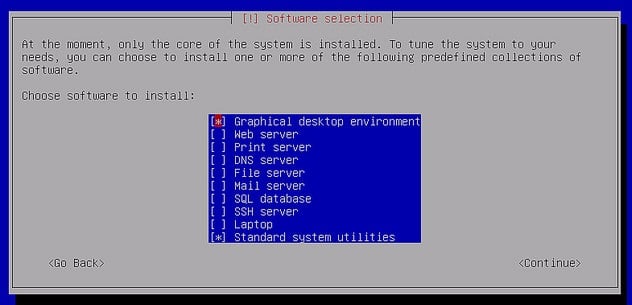
Under Linux Shell Console, you can create UI dialogs based only on Text Characters. The whiptail allows to create common UI components under Console.

shell-whiptail-1
The UI are advantageous in the interactive setup process/scripts.
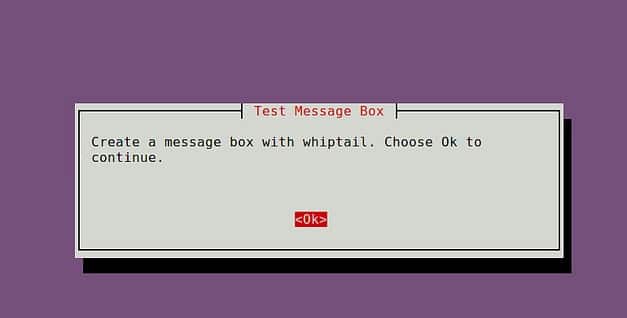
MessageBox
whiptail --title "message box title" --msgbox "text to show" height width
Example:
#!/bin/bash
whiptail --title "Test Message Box" --msgbox "Create a message box with whiptail. Choose Ok to continue

shell-whiptail-messagebox
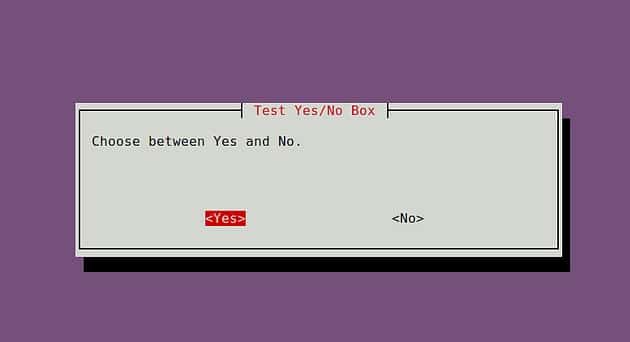
Yes/No Dialog
whiptail --title "dialog box title" --yesno "text to show" height width
Exampe:
#!/bin/bash
if (whiptail --title "Test Yes/No Box" --yesno "Choose between Yes and No." 10 60) then
    echo "You chose Yes. Exit status was $?."
else
    echo "You chose No. Exit status was $?."
fi

shell-whiptail-yes-no
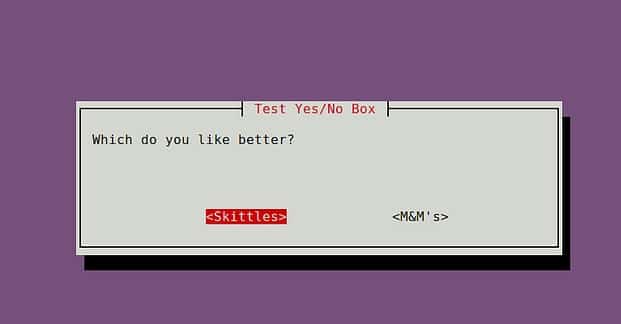
Customized buttons:
#!/bin/bash
if (whiptail --title "Test Yes/No Box" --yes-button "Skittles" --no-button "M&M's"  --yesno "Which do you like better?" 10 60) then
    echo "You chose Skittles Exit status was $?."
else
    echo "You chose M&M's. Exit status was $?."
fi

shell-whiptail-yes-no-2
InputBox
whiptail --title "input box title" --inputbox "text to show" height width default-text
Example:
#!/bin/bash
PET=$(whiptail --title "Test Free-form Input Box" --inputbox "What is your pet's name?" 10 60 Wigglebutt 3>&1 1>&2 2>&3)

exitstatus=$?
if [ $exitstatus = 0 ]; then
    echo "Your pet name is:" $PET
else
    echo "You chose Cancel."
fi

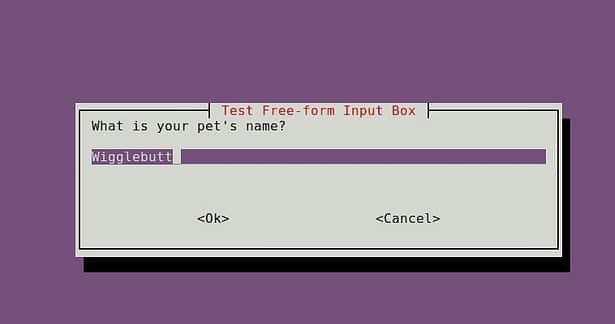
shell-whiptail-inputbox
Radio Box
whiptail --title "radiolist title" --radiolist "text to show" height width list height [ tag item status ] . . .
Example:
#!/bin/bash
DISTROS=$(whiptail --title "Test Checklist Dialog" --radiolist \
"What is the Linux distro of your choice?" 15 60 4 \
"debian" "Venerable Debian" ON \
"ubuntu" "Popular Ubuntu" OFF \
"centos" "Stable CentOS" OFF \
"mint" "Rising Star Mint" OFF 3>&1 1>&2 2>&3)

exitstatus=$?
if [ $exitstatus = 0 ]; then
    echo "The chosen distro is:" $DISTROS
else
    echo "You chose Cancel."
fi

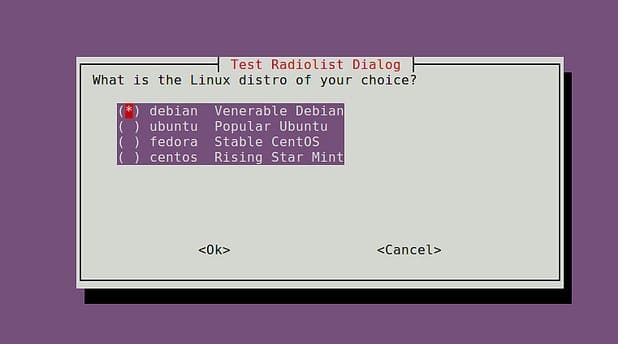
shell-whiptail-radio-selection
Progress Bar
whiptail --gauge "test to show" height width inital percent
Example:
#!/bin/bash
{
for ((i = 0 ; i <= 100 ; <+=10)); do
sleep 1
echo $i
done
} | whiptail --gauge "Please wait while installing" 6 60 0

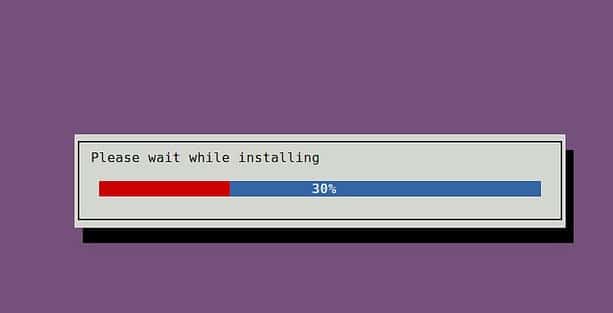
shell-whiptail-progress
Password
Password fields do not show characters (but showing as *) as user input.
whiptail --title "password box title" --passwordbox "text to show" height width
Example:
#!/bin/bash
PASSWORD=$(whiptail --title "Test Password Box" --passwordbox "Enter your password and choose Ok to continue." 10 60 3>&1 1>&2 2>&3)

exitstatus=$?
if [ $exitstatus = 0 ]; then
    echo "Your password is:" $PASSWORD
else
    echo "You chose Cancel."
fi

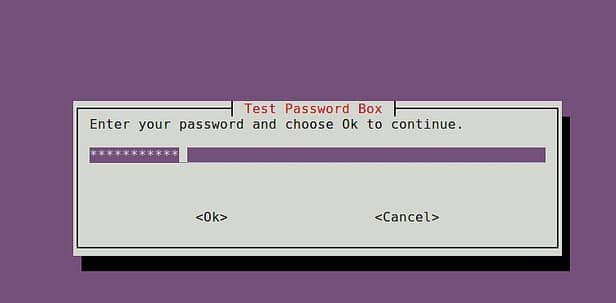
shell-whiptail-password
Menu Items
whiptail --title "menu title" --menu "text to show" height width menu height [ tag item ] . . .
Example:
#!/bin/bash
OPTION=$(whiptail --title "Test Menu Dialog" --menu "Choose your option" 15 60 4 \
"1" "Grilled Spicy Sausage" \
"2" "Grilled Halloumi Cheese" \
"3" "Charcoaled Chicken Wings" \
"4" "Fried Aubergine"  3>&1 1>&2 2>&3)

exitstatus=$?
if [ $exitstatus = 0 ]; then
    echo "Your chosen option:" $OPTION
else
    echo "You chose Cancel."
fi

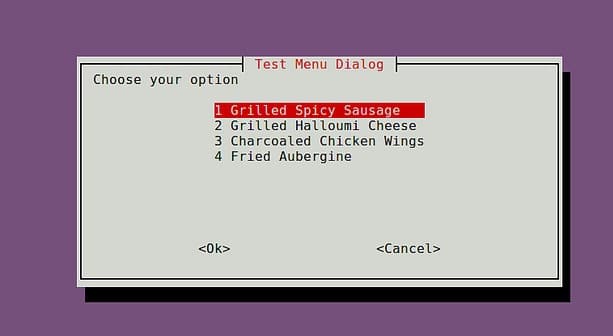
shell-whiptail-menu
Checklist
whiptail --title "checklist title" --checklist "text to show" height width list-height [ tag item status ] . . .
Example:
#!/bin/bash
DISTROS=$(whiptail --title "Test Checklist Dialog" --checklist \
"Choose preferred Linux distros" 15 60 4 \
"debian" "Venerable Debian" ON \
"ubuntu" "Popular Ubuntu" OFF \
"centos" "Stable CentOS" ON \
"mint" "Rising Star Mint" OFF 3>&1 1>&2 2>&3)

exitstatus=$?
if [ $exitstatus = 0 ]; then
    echo "Your favorite distros are:" $DISTROS
else
    echo "You chose Cancel."
fi

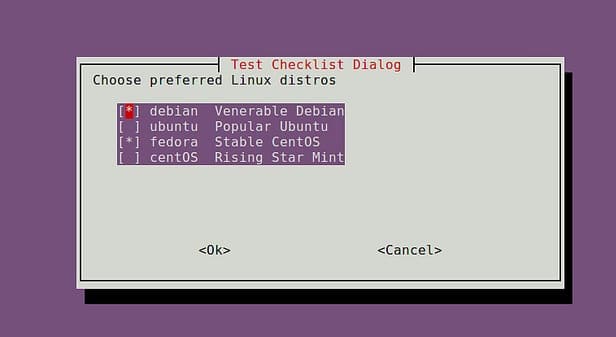
shell-whiptail-checklist
–EOF (The Ultimate Computing & Technology Blog) —
Last Post: Two Most Effective Freeware to Speedup Computer: CCleaner and Defraggler
Next Post: CloudFlare Pro - Reselling with Support for Only 10 USD per site