I was given a few Excel CSV files that contain quite a lot of values, like this:
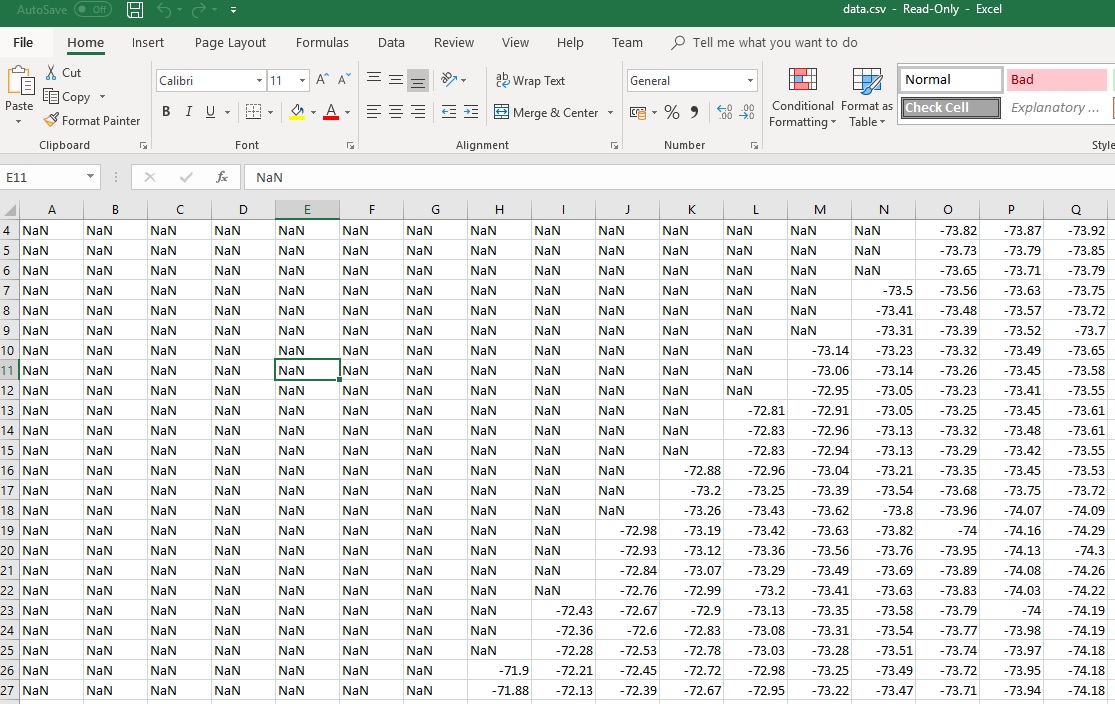
excel-values
The task is to copy all the valid numbers and store them in a new Excel CSV file row by row – so basically one column of values.
VBScript to Read CSV Files
The Excel has inbuilt Macro that allows you to write VBScript, but I find it easier to write a VBScript that runs in Windows Scripting Host environment. The VBScript following (e.g. named oneliner.vbs) reads the CSV Files (as they are plain text), split them by lines (so read string row by row), and split each row by delimiter comma. Print the value to console which you can redirect to the file.
Option Explicit
Dim fso, file, content, lines, line, i, j, k

if WScript.Arguments.Count = 0 then
    WScript.Echo "Usage 1.csv 2.csv ..."
    WScript.Quit 1
end If

Set fso = CreateObject("Scripting.FileSystemObject")

For k = 0 To WScript.Arguments.Count - 1
	Set file = fso.OpenTextFile(WScript.Arguments(k), 1)
	content = file.ReadAll
	lines = Split(content, Chr(13) & Chr(10))
	For i = 0 To UBound(lines)
		line = Split(lines(i), ",")
		For j = 0 To UBound(line)
			If (IsNumeric(line(j))) Then
				WScript.Echo line(j)
			End If
		Next
	Next
Next

file.Close
Set fso = Nothing
Set file = Nothing
To use the VBScript, you can run:
cscript.exe /Nologo oneliner.vbs data.csv
The script will read the data.csv and print the values to console line by line, you can add “> data-new.csv” to redirect to a new CSV file. If you have several input CSV files, you can run the following batch command:
for /r %f in (*.csv) do ( cscript.exe /nologo oneliner.vbs %f > %f-new.csv )
This command will loop over all csv files and convert them to -new.csv (one column).
Excel Tutorial
- Microsoft's Excel Just Got Smarter: The New Copilot Function
- Excel Tutorial: SUMIF Function
- Iterative Computing Fib Number using Excel
- How to Transform the Values in Excel Files to a Column of Values
- Excel Sheet to Calculate the Miles Per Gallon Average Gas Cost
- How to Calculate Mortgage Monthly Payment using Excel with Formula
- Four Useful Cell Functions/Values in Excel
- Excel Tip: Faster Auto-Complete
–EOF (The Ultimate Computing & Technology Blog) —
Last Post: Parity Sorting the Array by Index
Next Post: The C++ Function to Compute the Average of Numbers